FREE · OPEN SOURCE · NO ROOT
One tap.
The open internet.
WARP Connect is a one‑button Cloudflare WARP client for Android, built for Myanmar's filtered networks — ATOM, MPT, Ooredoo, Mytel. Tap CONNECT once; endpoint scanning, verification and healing are all automatic.
Android 8.0+ · Release notes · SHA-256 2e615a7e…946f827
WHY THIS EXISTS
The block is real. So is the way around it.
Myanmar's networks filter traffic with DPI (Deep Packet Inspection). Sites, apps and whole services disappear — sometimes for days. WARP Connect doesn't pretend the block isn't there: it finds which WARP endpoints still pass, proves one is really carrying data, and keeps that connection alive.
WHAT HAPPENS WHEN YOU TAP CONNECT
Registers once
A throwaway WARP account is created on first run — through the API, a relay, or an in-tunnel registration. It's yours forever; no email, no phone number.
Picks a working endpoint
Remembered per-network winners are tried first; otherwise the app scans Cloudflare's WARP endpoints and keeps the ones that survive in-tunnel tests — validated with a real handshake and a data-crossing check.
Stays connected
If the tunnel is torn down by the network, the app notices within seconds and reconnects — usually to an endpoint that already worked on this exact network.
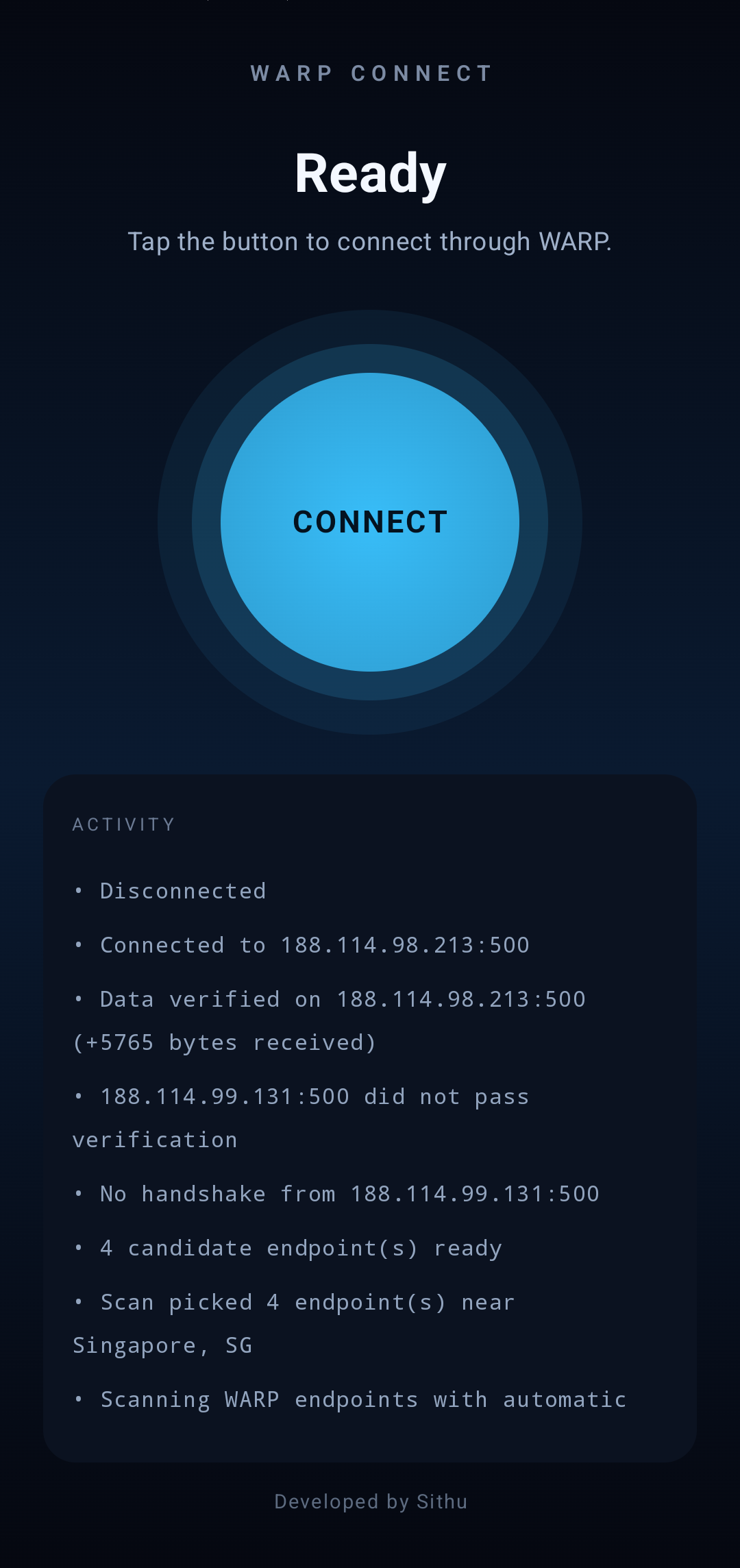
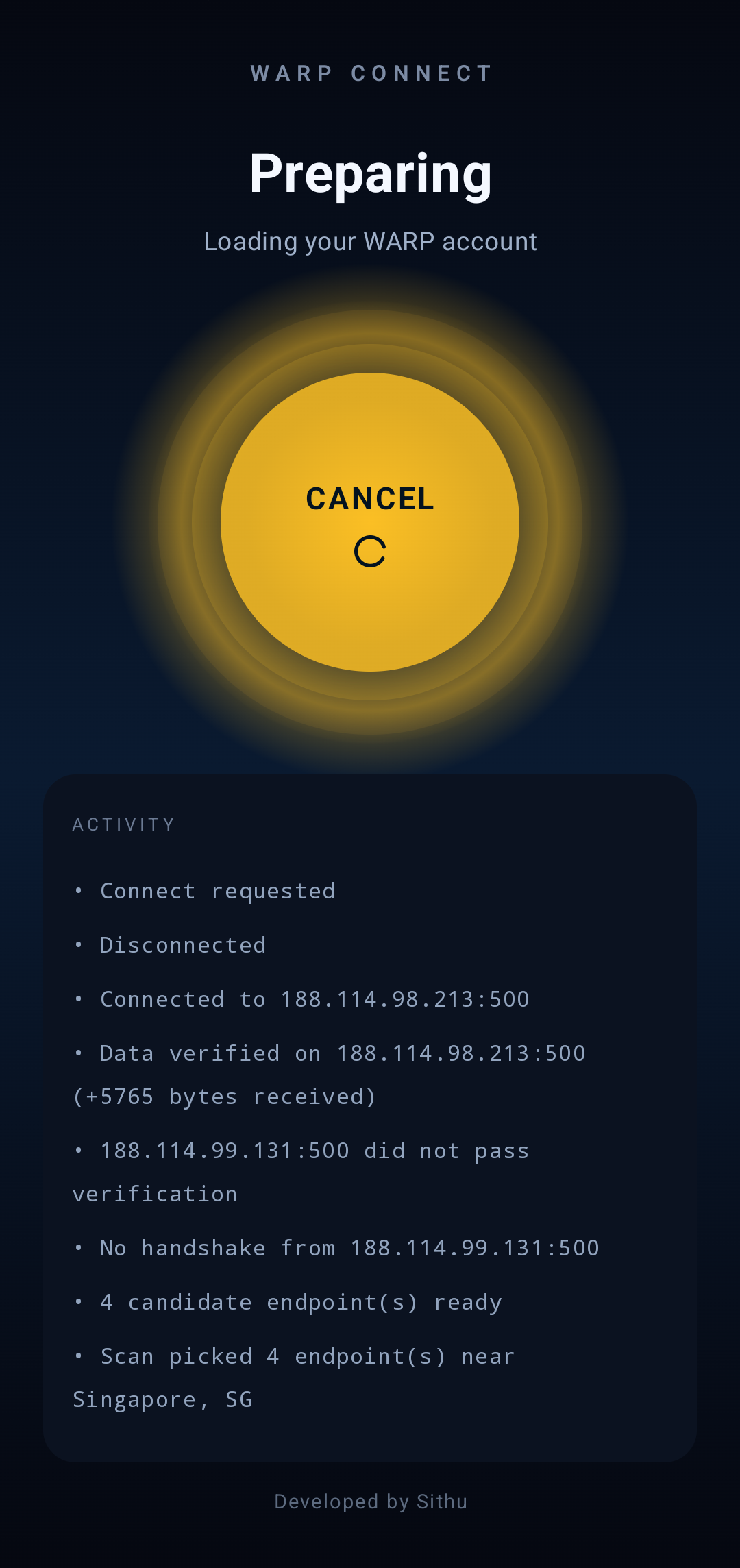
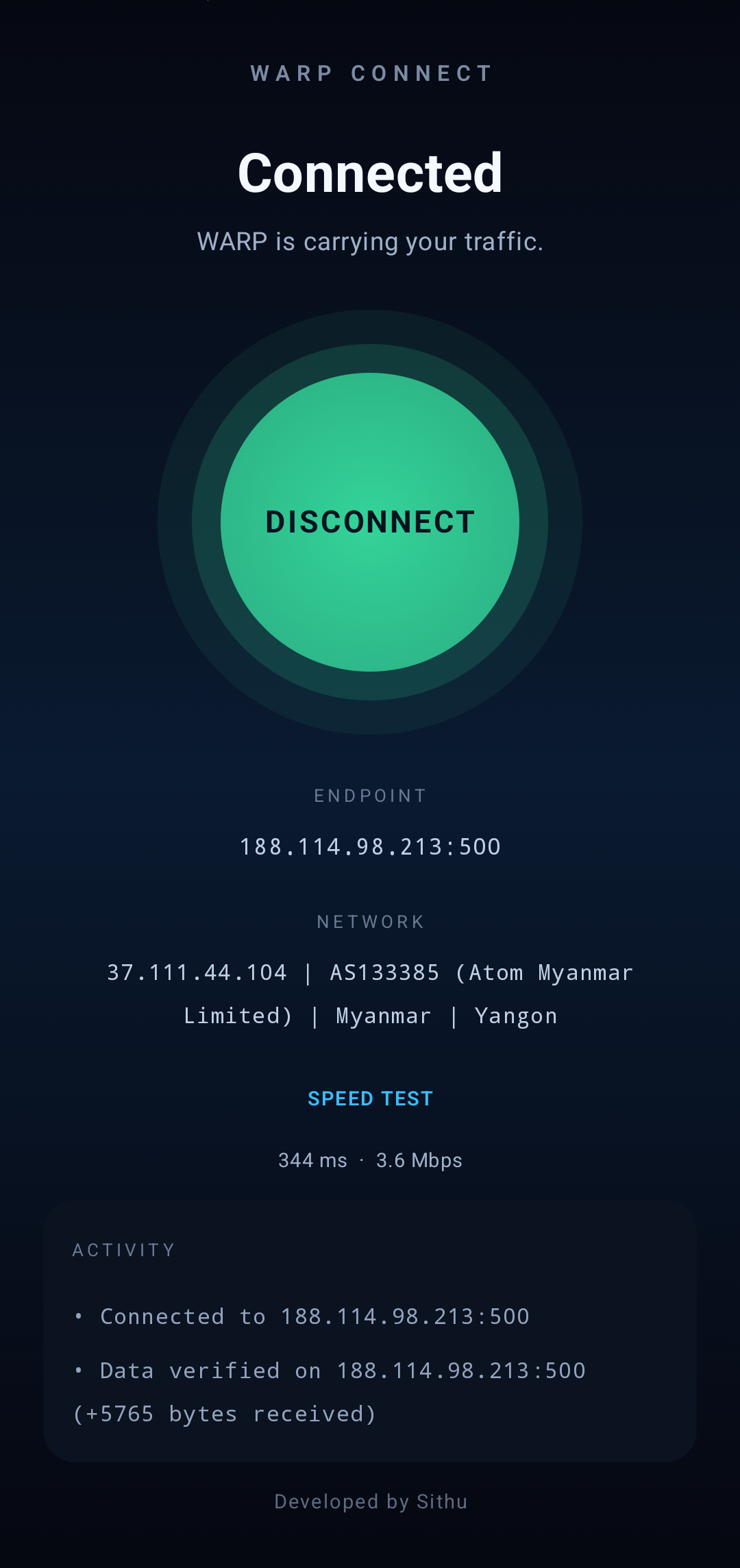
SCREENSHOTS — REAL ATOM 4.5G, YANGON
PRIVACY, STRAIGHT
No theatre. Here is exactly what leaves your phone.
- Connection telemetry — endpoint, carrier (ATOM/…), ASN, city/country. That's all. No browsing history, no messages, no passwords, no identity.
- Crash and usage events — Firebase Crashlytics + Analytics, so failures get fixed.
- Your WARP account — a throwaway device identity in app-private storage. Never rotated, never linked to you.
- Open source — every line is in the repo. No hidden SDKs beyond Firebase and nothing else.
HONEST ANSWERS
Questions people actually ask
Why not Google Play?
Because Play sits behind the same filter, and sideloading is how everyone in Myanmar installs this class of app today. Updates come from the Releases page. Play Protect will warn you — that's expected for any sideloaded app, not a verdict.
Why does the first connect take minutes?
Registration, then a scan of WARP endpoints, then verification of each survivor — that's real work on a filtered line. Every later connect reuses the per-network cache and usually wins in seconds.
Does it work on MPT / Ooredoo / Mytel?
It's developed and tested on ATOM. The endpoint engine is generic and the other carriers use the same Cloudflare backbone, but success is best-effort — if a network blocks every WARP endpoint, no app can make it work.
How do I update?
Download the new APK from the Releases page and install it over the old one. The signature is the same, so it upgrades in place. Your account survives.
Is it free?
Yes. No ads, no upsell, no in-app purchases. Built by one person for one market.
READY?
Get back the open internet.
အခမဲ့ · OPEN SOURCE · ROOT မလို
ခလုတ်တစ်ခုနှိပ်ရုံဖြင့်
အင်တာနက်လွတ်လပ်စွာသုံးပါ
WARP Connect သည် Android ဖုန်းအတွက်တစ်ခုတည်းခလုတ်ပါသော Cloudflare WARP VPN အက်ပ်ပါ။ ATOM, MPT, Ooredoo, Mytel စသည့် filter လုပ်ထားသော network များအတွက် ရည်ရွယ်ပါတယ်။
Android 8.0+ · Release notes · မြန်မာဘာသာ လမ်းညွှန် README.my.md
ဒီ app ကို ဘာကြောင့် ဖန်တီးခဲ့သလဲ
အင်တာနက် block ခံရတာက အမှန်ပါ။ ဖြေရှင်းနည်းလည်း ရှိပါတယ်။
မြန်မာနိုင်ငံ၏ network များမှာ DPI (Deep Packet Inspection) နဲ့ အင်တာနက်ကို filter လုပ်ထားတတ်ပါတယ်။ သတင်း site, Facebook, YouTube တွေ ပိတ်ခံရတတ်ပါတယ်။ WARP Connect က အဲ့ဒီလို filter လုပ်ထားတဲ့ network တွေပေါ်မှာလည်း ချိတ်ဆက်ပေးနိုင်တဲ့ အက်ပ်ပါ — WARP endpoint တွေထဲက အလုပ်လုပ်တဲ့ဟာကို ရှာဖွေ၊ စမ်းသပ်ပြီး၊ တကယ်ချိတ်ဆက်မှသာ အလုပ်လုပ်ပါတယ်။
CONNECT နှိပ်လိုက်ရင် ဘာဖြစ်လဲ
အကောင့်တစ်ခု တည်ဆောက်ပါတယ်
ပထမဆုံးအကြိမ် ဖွင့်တဲ့အခါ throwaway WARP account တစ်ခု အလိုအလျောက် ရပါတယ်။ Email, ဖုန်းနံပါတ် မလိုပါဘူး။
အလုပ်လုပ်တဲ့ endpoint ကို ရွေးပေးပါတယ်
ကိုယ်သုံးနေတဲ့ network ပေါ်က အလုပ်လုပ်ပြီးသား endpoint ကို ဦးစွာစမ်းပါတယ်။ မဟုတ်ပါက network တစ်ခုလုံးကို scan လုပ်ပြီး endpoint တွေကို စမ်းသပ်၊ အလုပ်လုပ်ဆဲဟာကို ရွေးပေးပါတယ်။
ချိတ်ဆက်ထားတဲ့အတိုင်း နေပါတယ်
Network က tunnel ကို ဖြတ်တောက်လိုက်ရင် စက္ကန့်ပိုင်းအတွင်း ပြန်ချိတ်ဆက်ပေးပါတယ် — များသောအားဖြင့် ဒီ network ပေါ်က အလုပ်လုပ်ပြီးသား endpoint ဆီသို့။
SCREENSHOT များ — ATOM 4.5G, YANGON
PRIVACY — တိုက်ရိုက်ပြောမယ်
သင့်ဖုန်းထဲက ဘာထွက်သွားသလဲဆိုရင် —
- Connection telemetry — endpoint, carrier (ATOM စသည်), ASN, မြို့/နိုင်ငံ။ ဒါတွေပဲ။ သင့် browsing history, message, password မပို့ပါဘူး။
- Crash နှင့် usage events — Firebase Crashlytics + Analytics။ ပြဿနာများကို မြန်မြန်ပြင်နိုင်ဖို့။
- သင့် WARP account — app-private storage ထဲက throwaway device identity တစ်ခုပါ။ သင့်ကို တစ်ဦးအနေဖြင့် ချိတ်ဆက်မထားပါဘူး။
- Open source — repo ထဲမှာ code အားလုံး ကြည့်နိုင်ပါတယ်။
တကယ့်မေးခွန်းများ
လူတွေ တကယ်မေးကြတဲ့မေးခွန်းများ
ဘာလို့ Google Play မှာမတင်ထားတာလဲ?
Play ကလည်း filter အောက်မှာရှိလို့ပါ။ Myanmar မှာ APK နည်းနဲ့ တပ်ဆင်တာက ယနေ့အတွက် ပုံမှန်ပါ။ Update တွေက Releases page ကနေ download လုပ်ရပါတယ်။ Play Protect သတိပေးတာက ပုံမှန်ပါ — sideloaded app မဆို သတိပေးပါတယ်။
ပထမဆုံး ချိတ်ဆက်မှု ဘာလို့ ကြာတာလဲ?
Account တည်ဆောက်၊ endpoint တွေ စကန်စစ်၊ ချိတ်ဆက်နိုင်တာတွေကို စမ်းသပ် — အလုပ်နဲ့ အချိန်ပေးရပါတယ်။ နောက်ပိုင်း ချိတ်ဆက်မှုတွေကတော့ network cache ကြောင့် စက္ကန့်ပိုင်းနဲ့ ရပါတယ်။
MPT / Ooredoo / Mytel မှာ အလုပ်လုပ်လား?
ATOM ပေါ်မှာ develop နှင့် စမ်းသပ်ထားပါတယ်။ MPT, Ooredoo, Mytel မှာလည်း Cloudflare backbone တူတာကြောင့် အလုပ်လုပ်နိုင်ပါတယ် — ဒါပေမယ့် WARP endpoint အားလုံးကို block လုပ်ထားတဲ့ network မှာတော့ ဘယ် app မှ မလုပ်နိုင်ပါဘူး။
Update ဘယ်လိုလုပ်ရမလဲ?
Releases page က APK အသစ်ကို download ပြီး ဟောင်းပေါ်မှာ ထပ် install လုပ်ပါ။ Signature တူတဲ့အတွက် သာမာန် install ရပါတယ်။ Account မပျောက်ပါဘူး။
အခမဲ့လား?
ဟုတ်ကဲ့၊ အခမဲ့ပါ။ Ads မရှိပါဘူး၊ in-app purchase မရှိပါဘူး။ လူတစ်ယောက်က နိုင်ငံတစ်ခုအတွက် လုပ်ထားတဲ့ app ပါ။
အဆင်သင့်ရှိလား?